Part II · Instance setup
MCP Servers
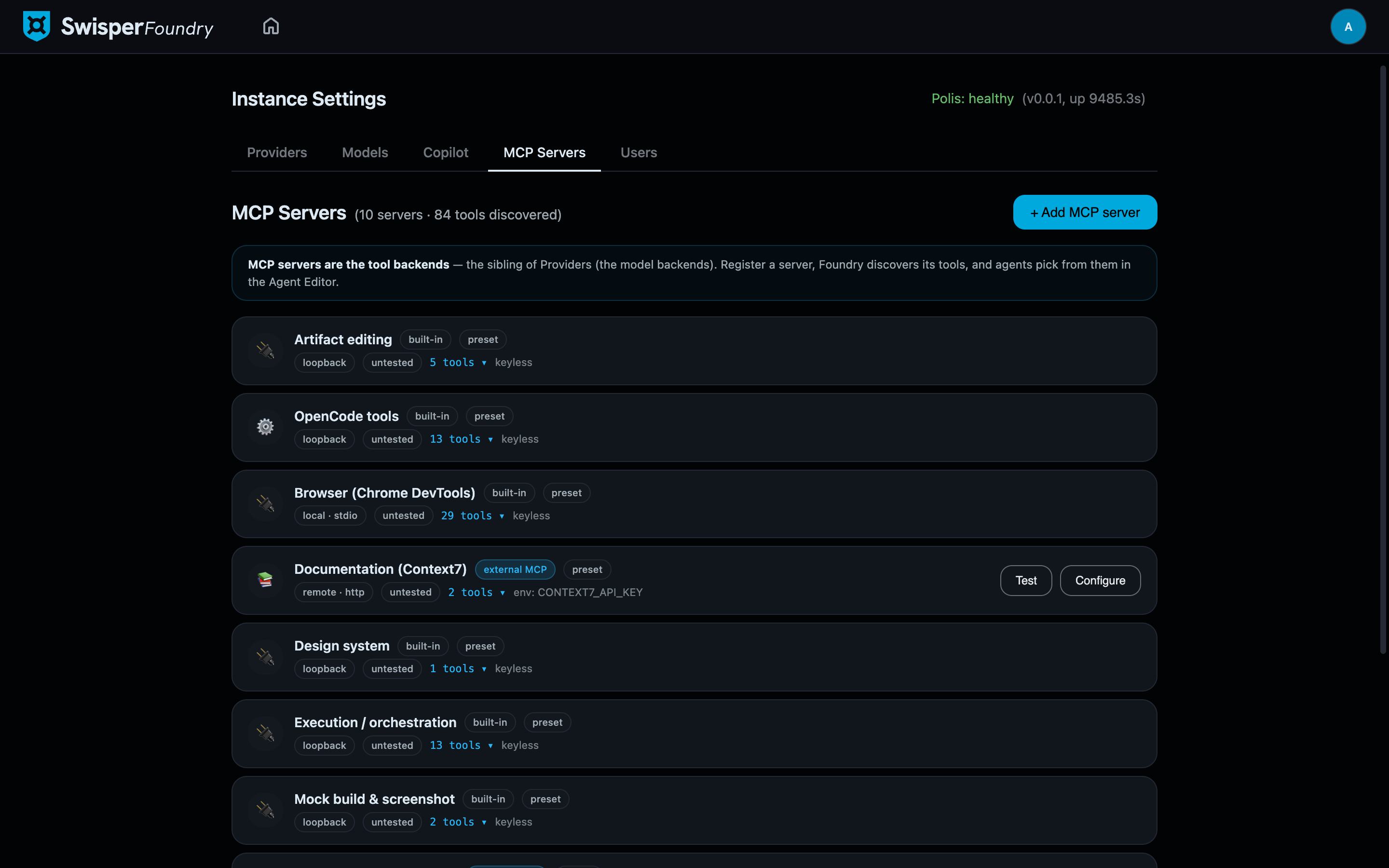
MCP servers are the tool backends of Foundry — the deliberate sibling of Providers, which are the model backends. Providers give agents something to think with; MCP servers give them something to act with: editing artifacts, driving a browser, querying the design system, reading decision records. On a typical instance the tab shows on the order of 10 servers · 84 tools.
Built-in presets and external servers
The registry mixes two kinds of entries:
- Built-in presets — loopback servers Foundry ships with, covering its own tool surfaces: Artifact editing, OpenCode tools, Browser / Chrome DevTools, Design system, Execution / orchestration, Mock build & screenshot, Decision records, and Vision. You can configure and disable presets, but not delete them — agents and workflows depend on their existence, so removal is a code-level decision, not a settings click. Disabling one is honored everywhere: its tools disappear from every picker and from the runtime.
- External servers — real network endpoints an admin registers, such as Prism (code intelligence) or Context7 (library docs). These carry an endpoint, credentials, and a Test button.
Transports
A server speaks one of three transports: remote-http (a network MCP endpoint), local-stdio (a locally spawned process), or loopback (Foundry's own in-process tool surfaces — the presets).
Authentication
External servers support four auth modes:
- None
- Bearer — a static token, encrypted at rest with the same crypto as provider credentials.
- Custom headers — for backends with non-standard header schemes.
- OAuth 2.1 — the full flow for servers that require it.
OAuth 2.1, in practice
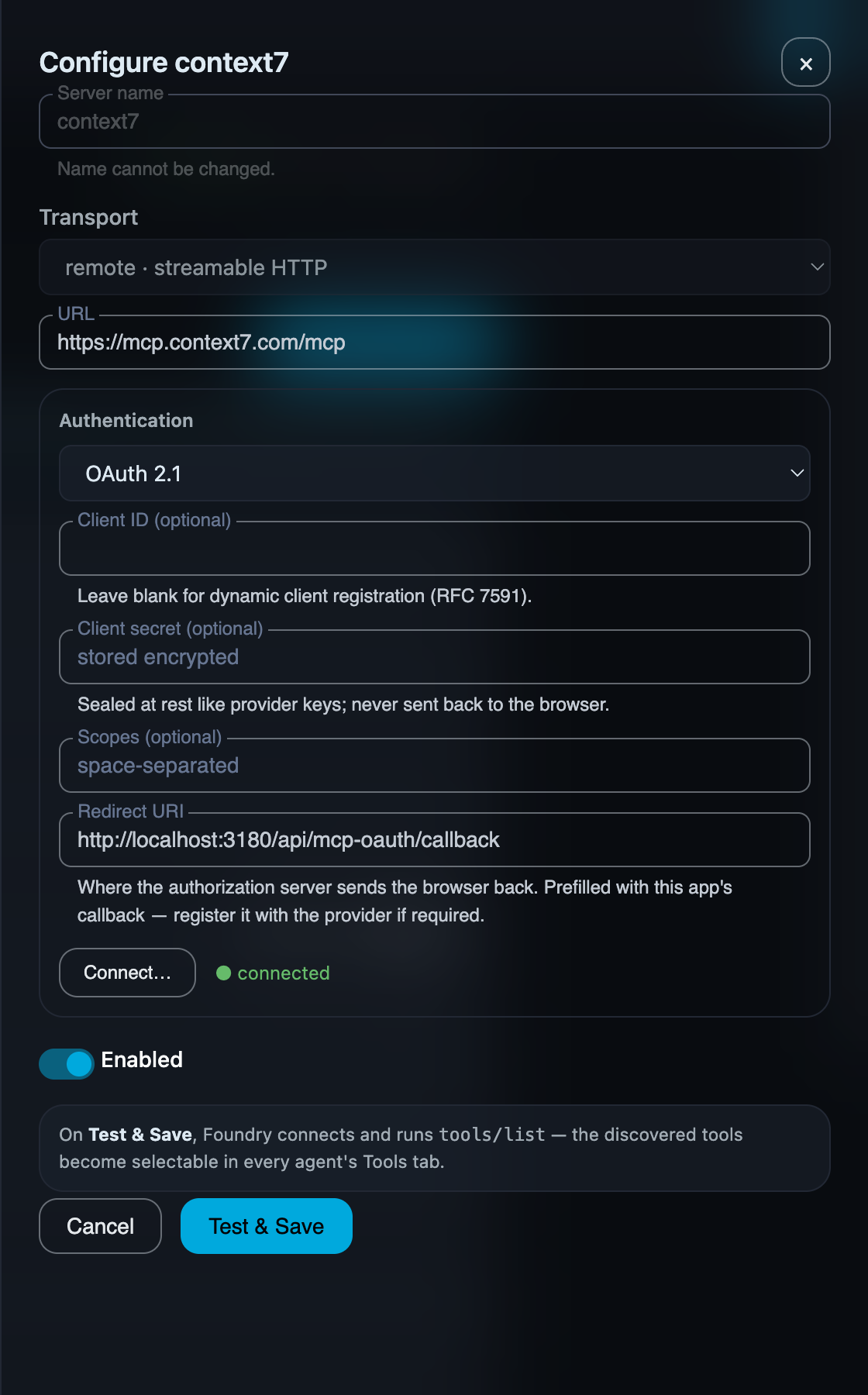
The OAuth drawer is built so that the common case needs almost nothing typed in:
- Client ID is optional. Leave it empty and Foundry uses dynamic client registration (RFC 7591) — the server issues a client on the spot. Fill it only when the server operator gave you a pre-registered client.
- The client secret is sealed once saved: write-only, never displayed again.
- The redirect URI is prefilled — it must match what Foundry's callback actually is, so it is not a field you should have to compose by hand.
- Connect… starts the browser flow (with PKCE) and stores the resulting tokens, refreshing them automatically thereafter.
Test & Save, and where tools go
Test & Save performs a real MCP tools/list against the server — proving connectivity, auth, and protocol in one step — and records the discovered tools in the registry. From there, discovered tools become selectable per agent: which agent may use which tools is decided in the agent's configuration (the Tools & Subagents tab of the Agent Editor), not globally. The registry answers "what exists and does it work"; the per-agent grant answers "who may use it".
A server can be enabled and still unavailable
Some presets are environment-gated: Prism, for instance, needs its environment configured on the host. Such a server shows as unavailable with a note explaining why, and its tools are greyed out in pickers rather than being offered to agents that could never call them.