Part V · The configurable PDLC
Agent rosters
The agents roster (/pdlc/:id/agents in the Lifecycle Studio) is where a lifecycle's workforce is configured: which AI role produces each phase, which model each role thinks with, and — for the engineer — which seniority tier handles which kind of task. Two concepts carry this page, and confusing them is the most common misreading of the roster, so let's separate them up front:
- A behaviour is a worker: a distinct AI role with its own prompt, tools, and job (Product Manager, Architect, Engineer, Reviewer, …). Behaviours are what actually get dispatched.
- A seniority tier is not a worker. It is a configuration of one behaviour — the engineer — that decides which model (and which remit) the engineer runs with for a given task. Tiers are never dispatched themselves.
About the visuals on this page
The illustrations come from the binding design mocks for the PDLC rosters. Details may differ in the shipped build — in particular the sample counts visible in mocks are fixtures, not real roster contents.
The behaviours
Foundry ships thirteen built-in behaviours: PM, Architect, Business Analyst, UX Designer, Tech Lead, Planner, Engineer, Reviewer, QA, Dev Lead, Orchestrator, Explore, and Librarian. Each phase of the lifecycle has exactly one producing behaviour — the mapping from "this phase" to "this agent does it" is part of the lifecycle's data, and it is how a phase chat knows who you are talking to.
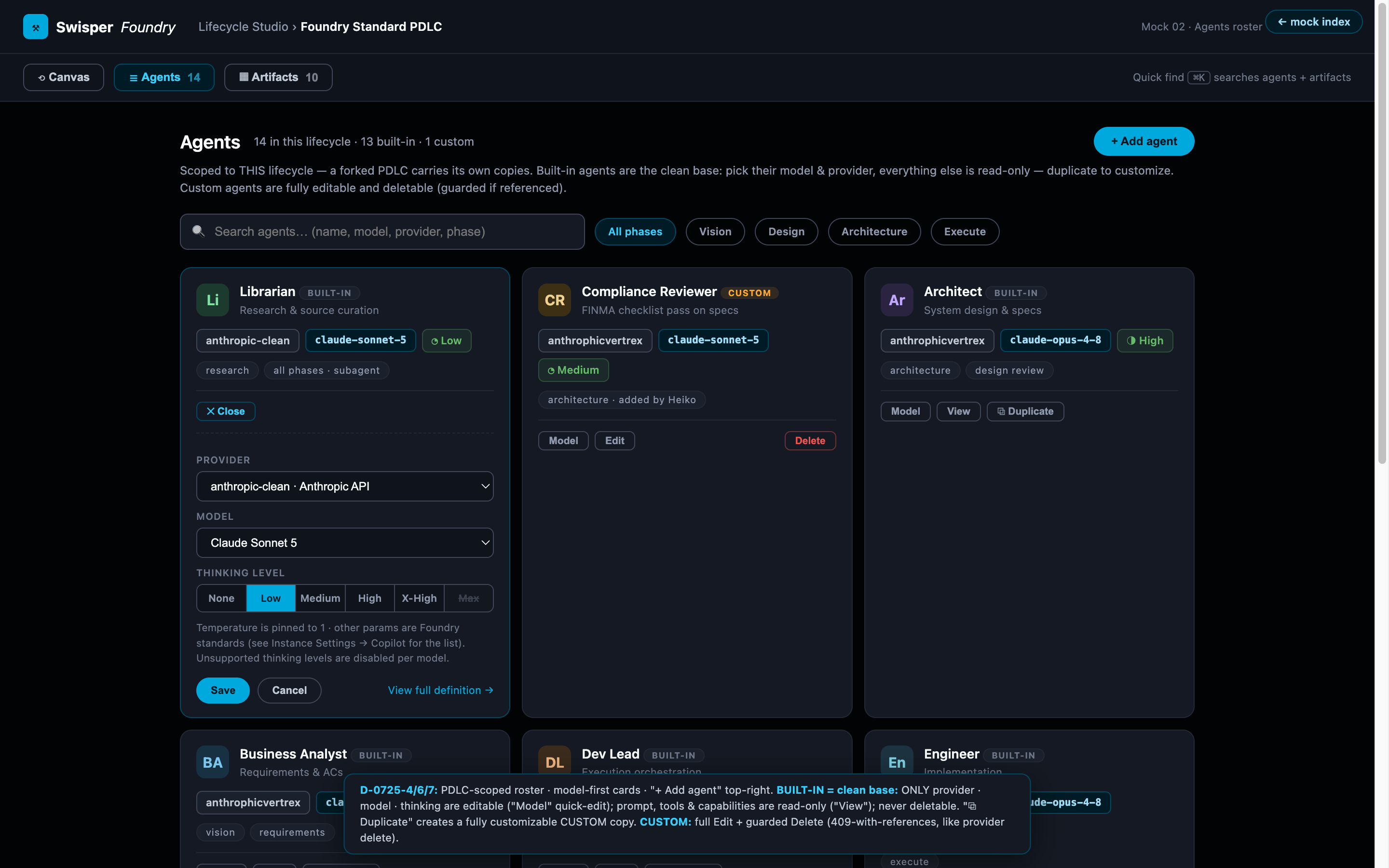
On the roster, each agent card shows its identity, its model line, and its actions. The action set depends on what kind of agent it is:
- Built-in agents are an immutable clean base: only their model allocation — provider, model, thinking level — is editable, via the Model quick-edit. Prompt, tools, and capabilities are read-only ("View" opens the Agent Editor in read-only mode). Why immutable? For the same reason the built-in lifecycle is: a shared baseline that upgrade paths and documentation can rely on.
- Duplicate is the escape hatch: it creates a fully editable custom copy of a built-in agent. Custom agents get unrestricted Edit and a guarded Delete — deleting an agent that a phase still references is refused with the list of references, so a roster can never silently lose a phase's producer.
The roster header counts agents and tiers separately ("N agents · M seniority tiers") — deliberately, because the day it counted them together, a reader concluded the mid-tier engineer was a duplicate of the engineer and asked which one to delete.
Seniority tiers: one engineer, four configurations
The engineer behaviour has four seniority tiers — junior, mid, senior, expert — and they are the roster's most important subtlety. Dispatch always spawns the single engineer behaviour; the tier only selects two things:
- The model — which provider/model/thinking configuration this class of work deserves (and is worth paying for).
- The remit — a behavioural overlay on the engineer prompt describing what this tier owns and when it escalates:
| Tier | Remit |
|---|---|
| Junior | Mechanical work: a known pattern on a narrow surface. Follows the codebase's existing approach and escalates early if the task turns out not to be mechanical. |
| Mid | Standard integration work: a few files, established patterns, bounded blast radius. Owns the implementation within frozen interfaces. |
| Senior | Cross-cutting work with real blast radius. Owns the approach, including trade-offs the plan left open, rather than escalating them. |
| Expert | The approach is not yet decided: several valid designs exist, or the step alters a contract many others depend on. Choosing well is the task. |
How work is routed to a tier
Every task in an execution plan carries a complexity tag, and complexity routes to a tier:
| Task complexity | Routed tier |
|---|---|
| simple | junior |
| complex | mid |
| hard | senior |
| critical | expert |
The dev lead (the agent orchestrating an execution run) can override the routing for a specific task — an override always wins over the complexity table. And routing is not static within a run: when a task fails its fix loop at one tier (two attempts), escalation to the next tier is forced. The economics are the point — you pay expert-model prices only for expert-shaped problems, while mechanical work runs on cheaper, faster models, and a misjudged task still finds its way up the ladder. How a run applies this routing — fix loops, forced escalation, per-task overrides — is shown in the execution workbench.
Nested in the roster
Because tiers are configurations of the engineer rather than independent agents, the roster renders them nested inside the engineer's card, never as standalone cards beside it. Each tier row shows its remit, the complexity that routes to it, and its own model allocation with a quick-edit — so allocating a different model to the senior tier is one click, exactly like changing any agent's model.
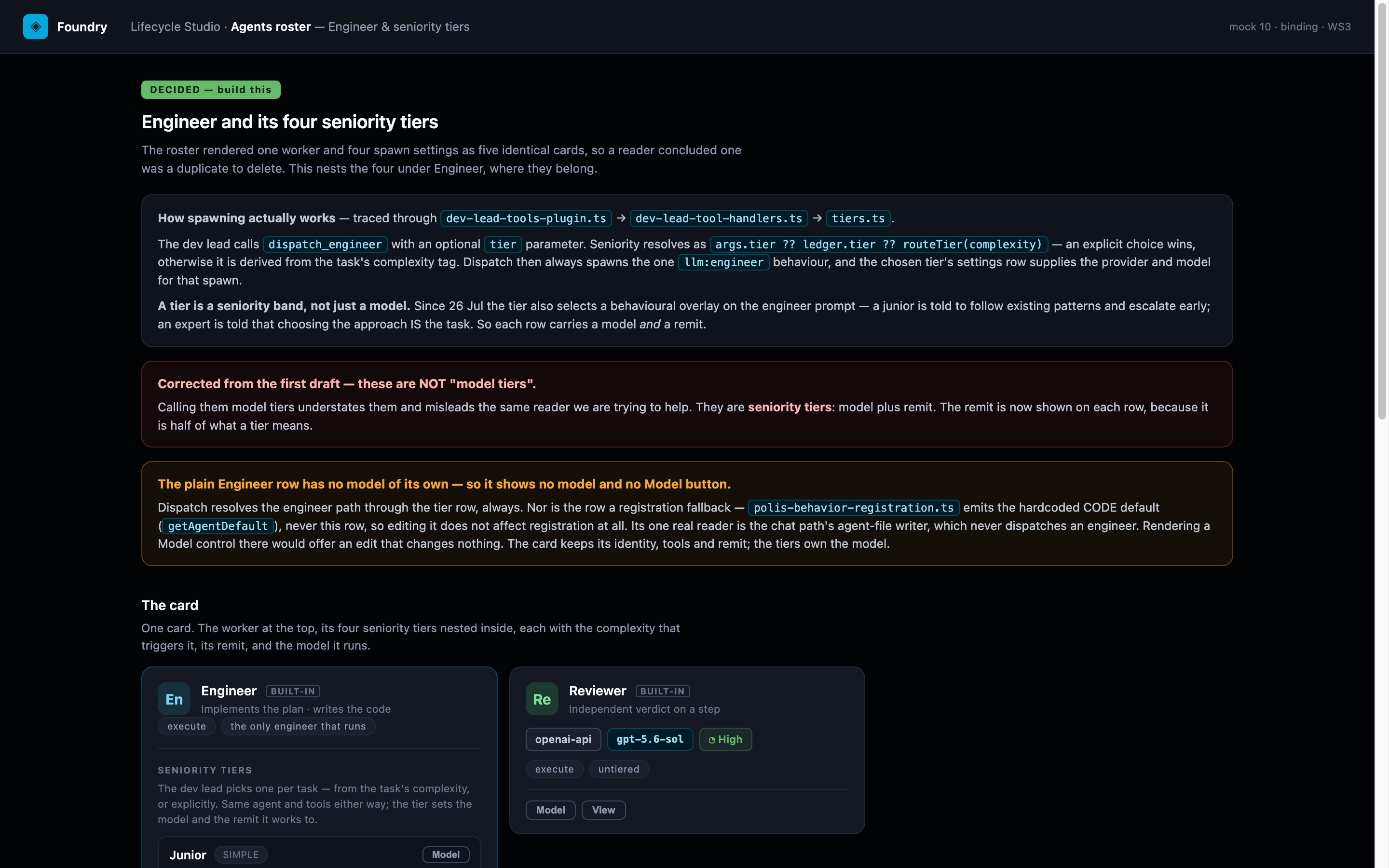
Searching the roster respects the nesting: matching "expert" reveals the expert tier through its parent — the engineer card stays visible with the matching tier shown inside it.
Model allocation
Model editing everywhere on the roster goes through the same Model Configurator: provider, model, and thinking level — those three, per agent and per tier. Providers and models come from what the instance has configured (and, per product, from the product's provider selection), so the roster can only cast models that actually exist in your instance. Cross-vendor allocation is normal and expected: nothing requires the junior tier and the expert tier — or the Architect and the Engineer — to share a vendor. Temperature is deliberately not a per-agent knob.
Rosters from the canvas
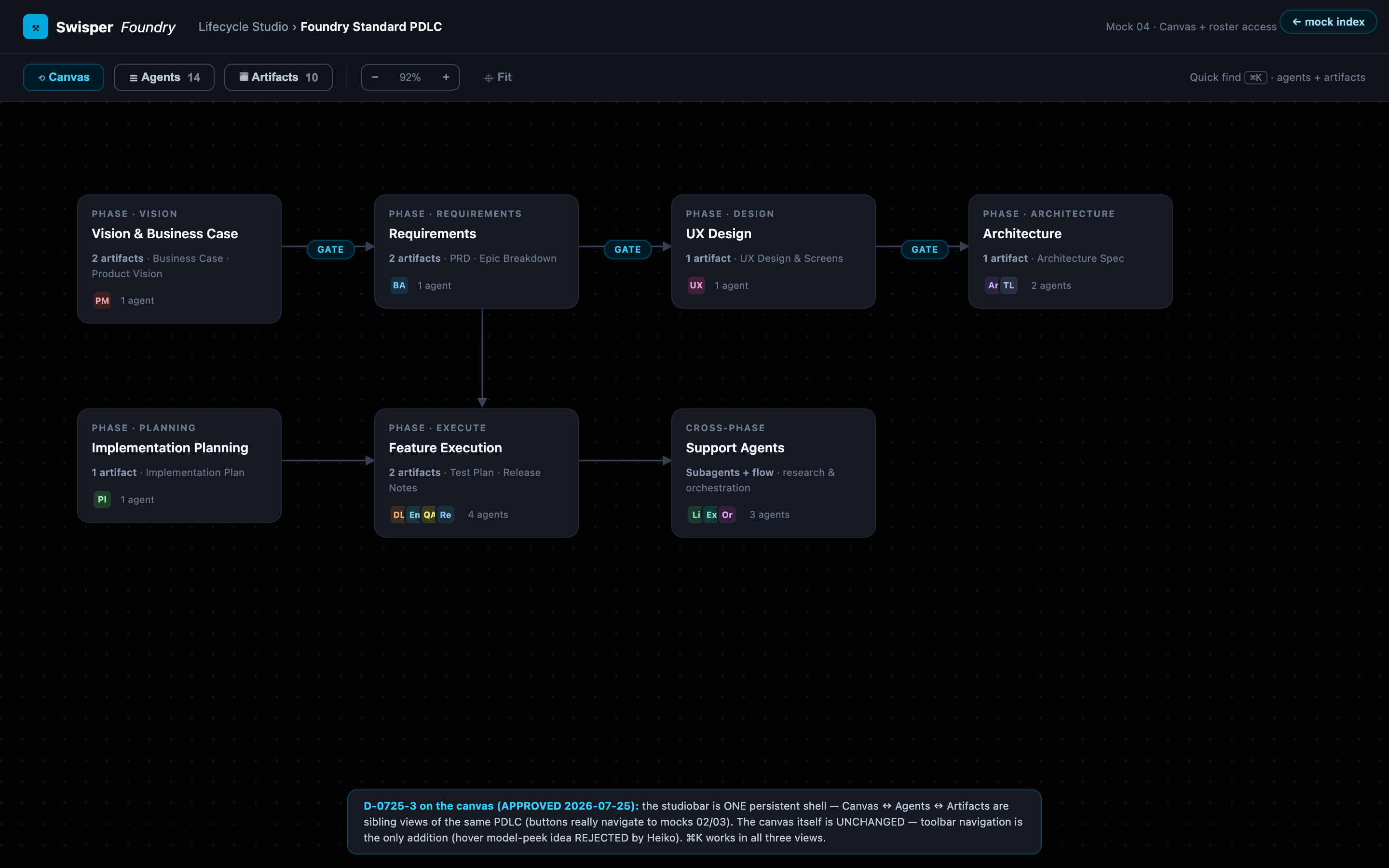
The same roster information is reachable in context from the lifecycle canvas via the studio bar — while editing the topology, you can see who produces the phase you are looking at without leaving the canvas.