Part V · The configurable PDLC
PDLC designer — lifecycle as data
Most tools hard-code their development process. Foundry stores it as data. A lifecycle (PDLC) is a set of rows in the database — phases, the artifacts they produce, the agents that produce them, and the edges that order them — and the Lifecycle Studio is the editor for those rows. Change the data and you have changed how every product that follows this lifecycle develops software: no code change, no migration, no release.
This page covers what a lifecycle is made of and how the Studio edits it. The people side — agents and their seniority tiers — is in Agent rosters; the content side — prompts and artifact schemas — is in Prompts & schemas.
About the visuals on this page
The illustrations come from the binding design mocks for the Lifecycle Studio. They are the implementation spec the build follows, but shipped details (and the sample numbers visible in them) may differ from your instance.
The anatomy of a lifecycle
flowchart TB
    P["Lifecycle (PDLC)<br/>name · tier labels · canvas layout"]
    PH["Phase types<br/>e.g. Vision, Architecture, Business Spec,<br/>UX, IT Spec, Plan, Execute"]
    AD["Artifact definitions<br/>JSON Schema per phase output"]
    AG["Agent roster<br/>one producer behaviour per phase"]
    E["Workflow edges<br/>what feeds what"]
    P --> PH
    PH --> AD
    PH --> AG
    PH --> E
Five kinds of data make up a lifecycle:
- The lifecycle itself — a uniquely named, instance-level object. Even its vocabulary is data: the container tier is labeled "Epic" and the delivery tier "Feature" by default, but both labels are fields on the lifecycle, not constants in code. If your organization says "Initiative" and "Story", change the labels.
- Phase types — the steps. The default lifecycle ships seven (Vision, Architecture, Business Spec, UX, IT Spec, Plan, Execute), split across the container tier (epic-level phases) and the delivery tier (feature-level phases). Phase types are plain text, not a fixed enumeration — adding a new phase type requires no schema migration, which is precisely what makes the lifecycle configurable rather than merely parameterized.
- Placements — which phases belong to this lifecycle, and in which tier.
- Workflow edges — the topology: which phase feeds which, and what each downstream phase receives from upstream (each edge carries a projection describing what flows across it). The valid phase sequence for a product is resolved from the edges, not read from a hard-coded list.
- Artifact definitions — the schema of each phase's output document, stored as JSON Schema (see Prompts & schemas).
A product points at exactly one lifecycle. Many products can point at the same one — which is why lifecycles live at instance level, and why editing one is a decision with reach.
The front door
/pdlcs lists the instance's lifecycles — the built-in "Foundry Default" plus any forks and custom lifecycles your teams have created — and is the entry point into the Studio for each.
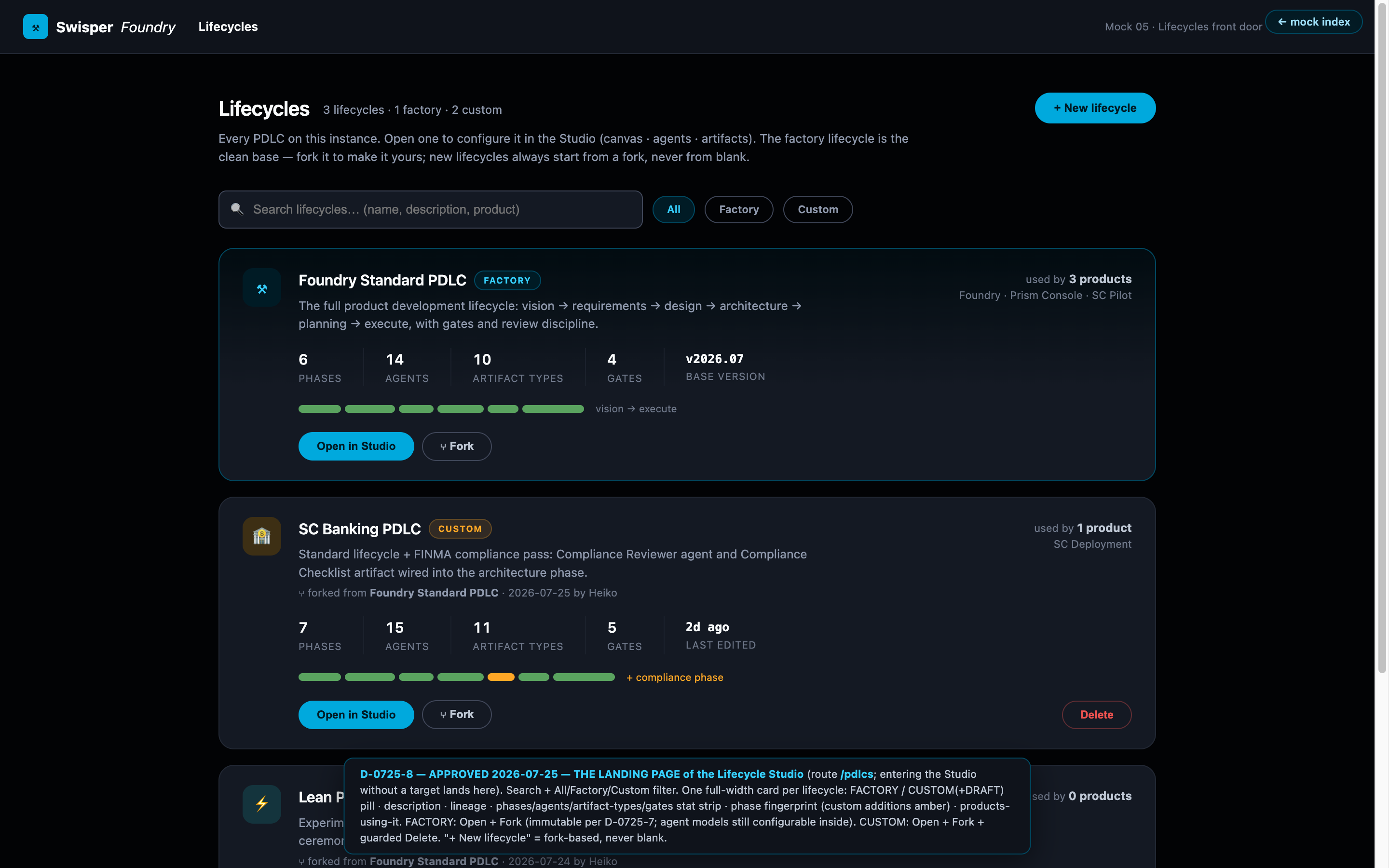
The Studio shell
Opening a lifecycle lands you in the Lifecycle Studio: the canvas at the center, with the lifecycle's agents and artifacts reachable as rosters from the studio bar. The Studio is instance-level tooling — you are editing the recipe here, not any single product's state.
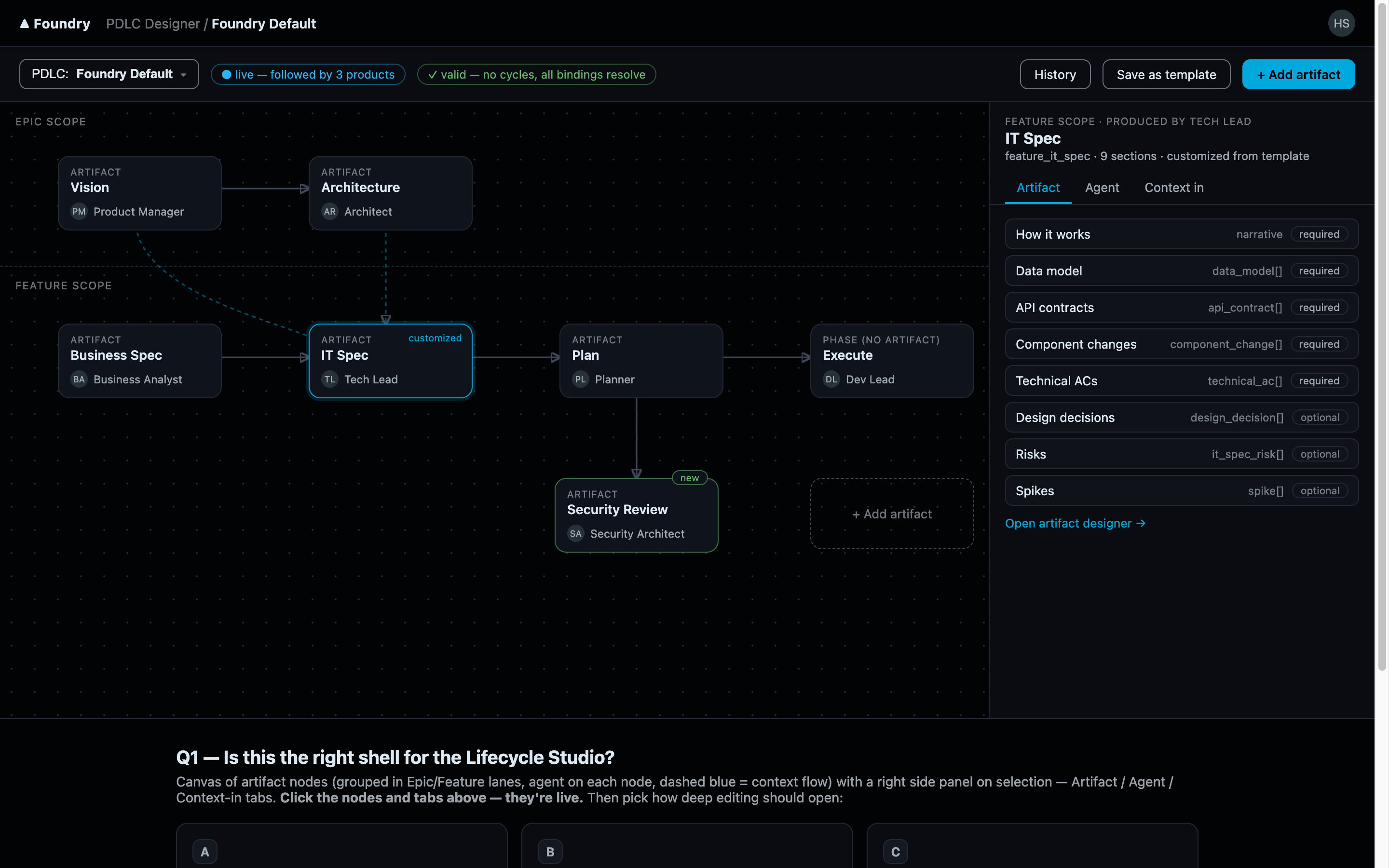
The canvas
The canvas is a drag-and-drop graph editor over the lifecycle's topology. Phase nodes sit in lanes; edges connect a producing phase to the phases that consume its output. Node positions are saved as the lifecycle's canvas layout — the layout is cosmetic and yours; the edges are the semantics.
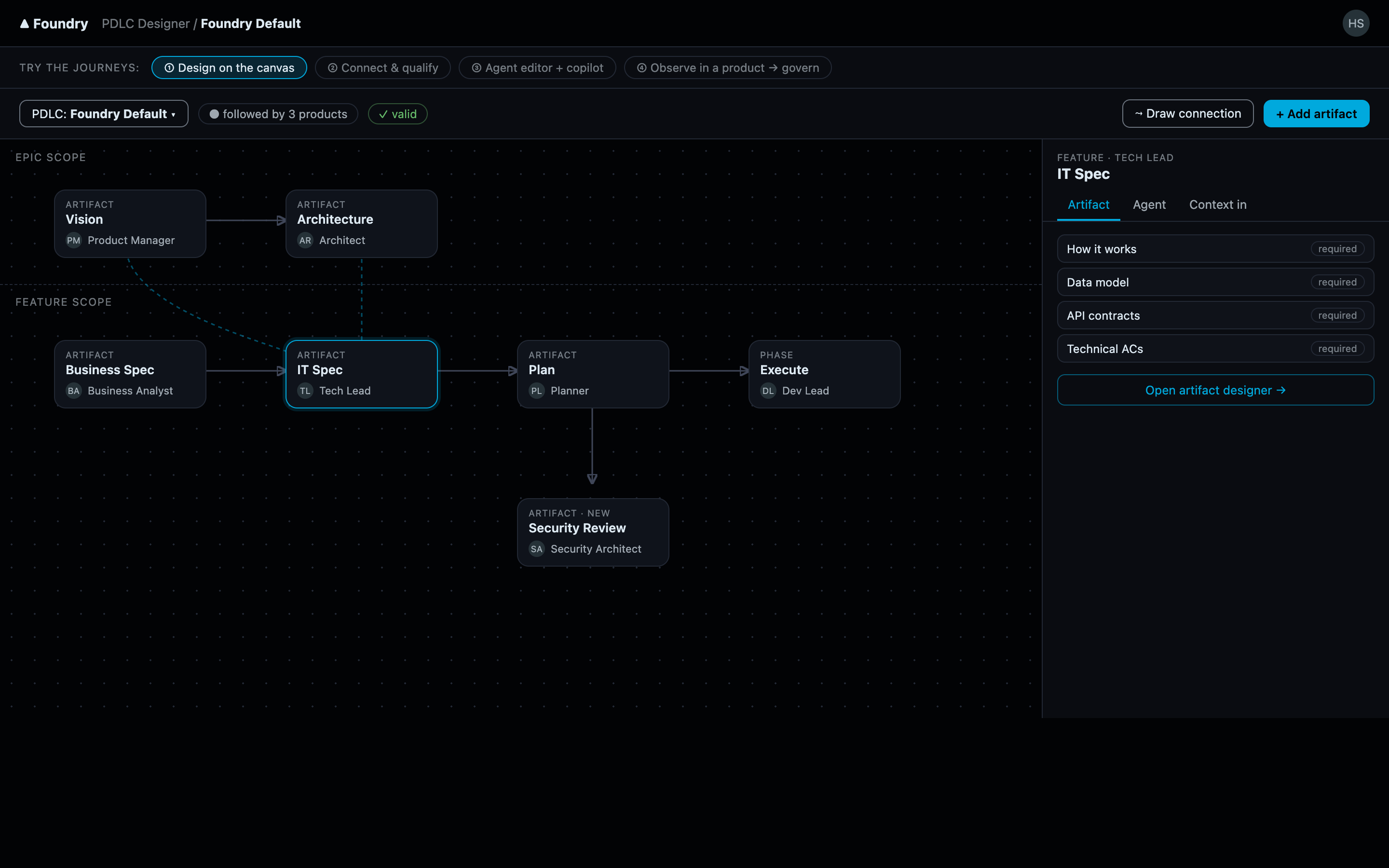
Editing the topology means editing edges: add an edge to make a phase consume another's output, remove one to decouple them, and adjust what each edge projects downstream. Each phase node also exposes what it produces — its artifact definition — and who produces it, linking into the Artifact Designer and the agent roster respectively.
Validation
The graph is validated as you edit. The rule that matters most: no cycles. A lifecycle is a flow from idea toward shipped code; a cycle would mean a phase transitively feeds itself, and the validator rejects it before it can confuse every product downstream. Validation runs server-side against the same graph the runtime resolves, so what the canvas accepts is exactly what execution will follow.
Fork, don't edit: the built-in lifecycle
The built-in "Foundry Default" lifecycle is immutable. Any attempt to mutate it is refused by the server — not as a UI nicety but as an API-level guarantee. To customize it, you fork: the fork is a complete, independent copy that you own and can reshape freely, and you then assign it to your products in Product Settings → Lifecycle.
Why fork-not-edit? Three reasons:
- A shared baseline stays trustworthy. Every instance can rely on the default meaning the same thing everywhere — documentation, support, and upgrades all assume it.
- Blast radius is explicit. Editing a lifecycle affects every product following it. Forcing a fork makes "who follows this?" a conscious decision instead of an accident.
- You always have a way back. A product can be pointed back at the default at any time, because the default was never modified.
The same principle extends into the definitions themselves: editing an artifact definition that belongs to a protected lifecycle transparently forks first, then applies your edit to the fork — you cannot accidentally rewrite the shared baseline from an editor deep in the Studio.