Part III · Your account
Your account
My Account (/account) is what's yours — your identity and your own provider subscriptions and keys — and it follows you onto every product in the instance. Instance Settings is what the admin decided for everyone; this page is what you decide for yourself.
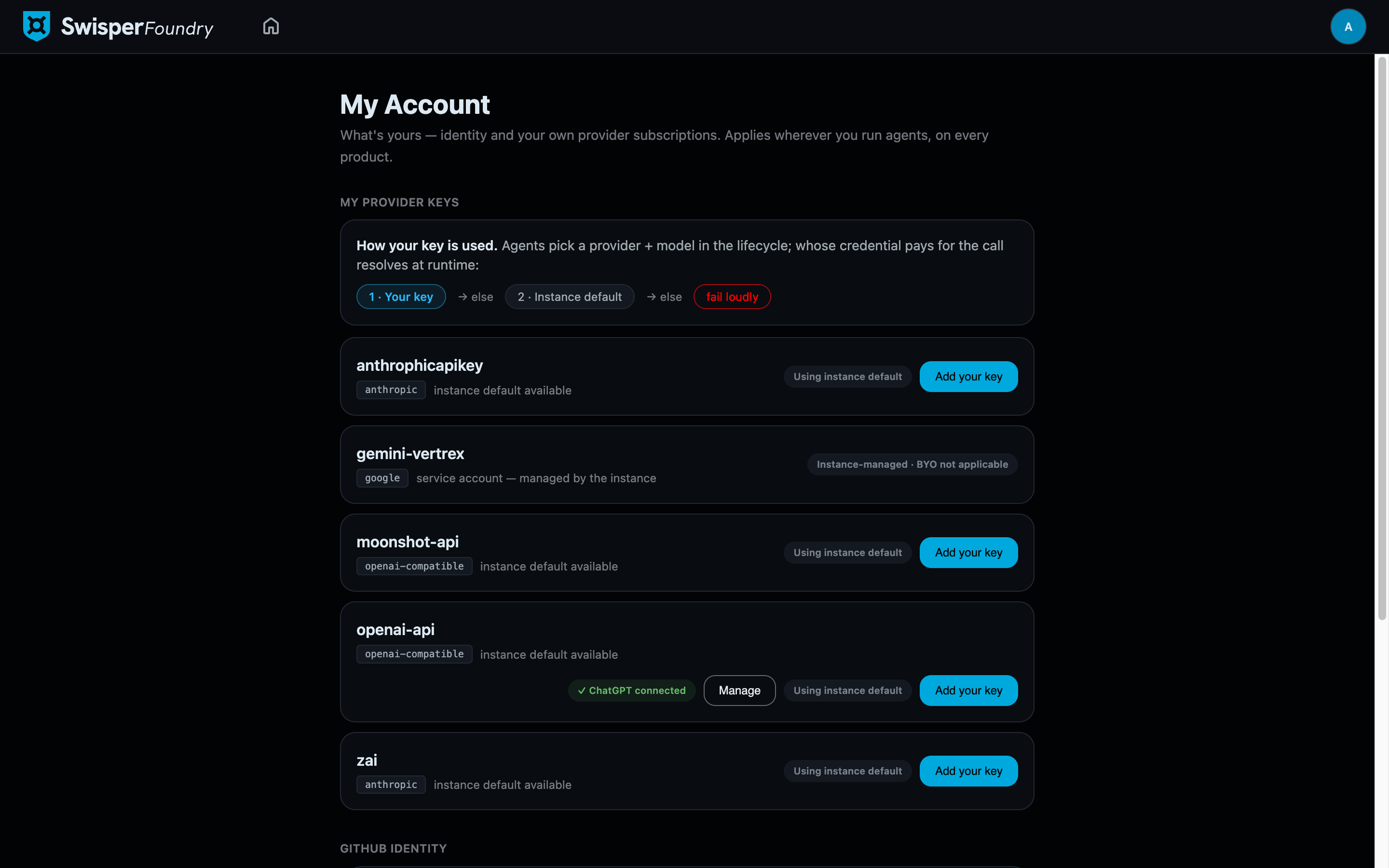
My provider keys
For every provider the instance has enabled, you can bring your own credential. Why bother, when the instance already has keys? Two reasons: billing (your usage lands on your budget or your personal subscription instead of the shared instance account) and entitlements (your own account may have access the shared key does not).
How Foundry picks a credential
When an agent makes a call on your behalf, Foundry resolves the credential in a fixed order — and the UI shows this as pills on each provider card:
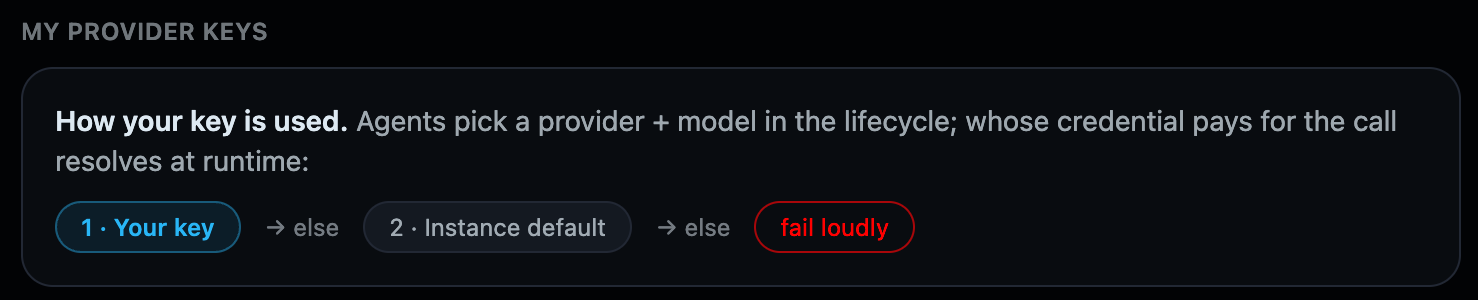
- Your subscription — if you have connected a personal subscription (OAuth) for this provider and it is active, it wins.
- Your key — else, your own stored API key for this provider.
- Instance default — else, the credential the admin configured in Instance Settings → Providers.
- Fail loudly — if none of these exists, the call fails with a visible error. Foundry never silently borrows a different provider or someone else's credential — a quiet fallback would move real money and real data without anyone choosing it.
flowchart LR
    A[Agent call as you] --> B{Your subscription connected and active?}
    B -- yes --> S[Use your subscription]
    B -- no --> C{Your own key stored?}
    C -- yes --> K[Use your key]
    C -- no --> D{Instance key configured?}
    D -- yes --> I[Use instance default]
    D -- no --> F[Fail loudly — visible error]
Adding a key
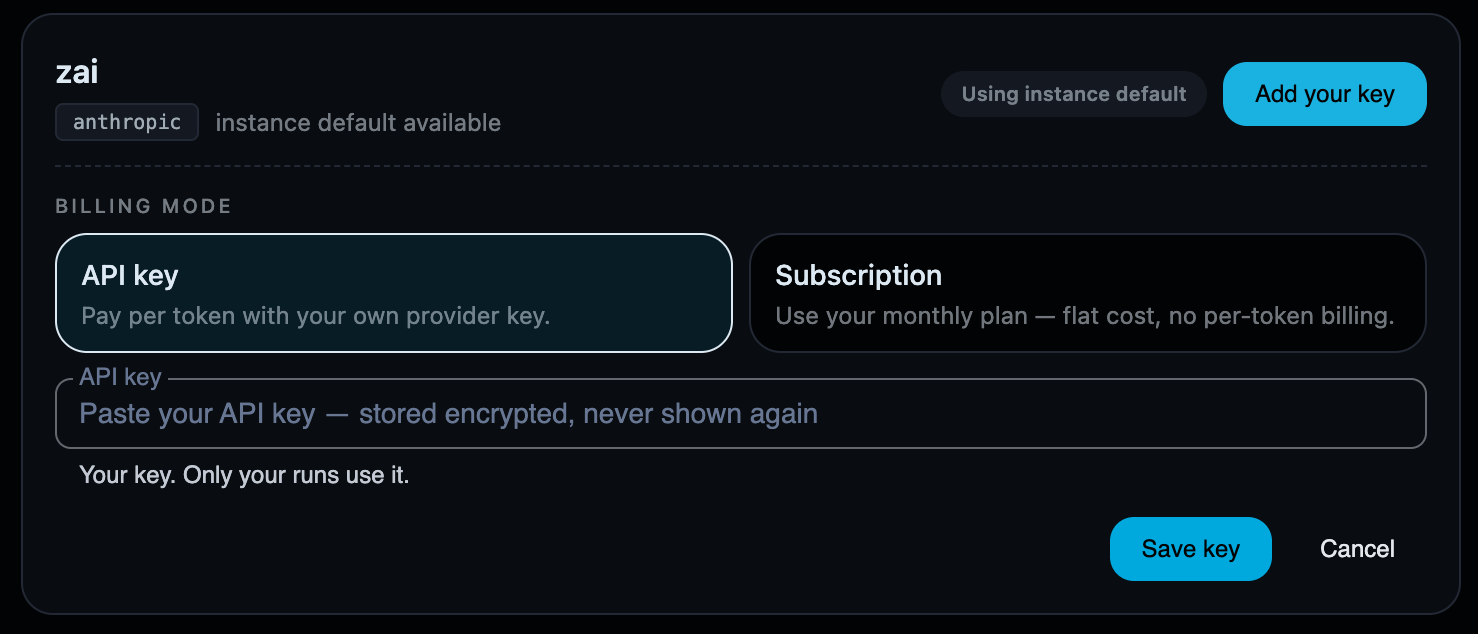
Where the provider supports both billing modes, the form asks which kind of credential this is: a plain API key (pay-per-token) or a Subscription credential (a key tied to a vendor coding plan). Your key is encrypted at rest, is only ever shown back to you as a masked suffix, and can be replaced (which rotates it in place) or deleted at any time.
Some providers show "BYO not applicable": they authenticate through an instance-managed identity — for example a Google Cloud service account — where there is no personal secret you could meaningfully substitute.
Use your subscription (OAuth)
For providers whose catalog binding supports it — OpenAI today — you can connect a personal subscription by signing in rather than pasting a key. Once linked, the provider card shows "✓ ChatGPT connected" with a Manage action, and your turns are served through your plan.
Three things to know before connecting:
Your plan must include Codex models
Connecting requires a Codex-entitled plan. A plan without Codex models will connect successfully — the OAuth handshake has no way to know — but cannot serve turns; the first real call fails. If you connect and turns fail, check your plan tier before anything else.
- One subscription = one human. Your subscription serves your turns only. It is never shared across users — that is both how the resolution order works and what the vendor's terms require.
- Verifying it is really used: after connecting, the resolution pills on the provider card show your subscription in first position. If it shows as connected but turns fail, see the plan warning above.
GitHub identity
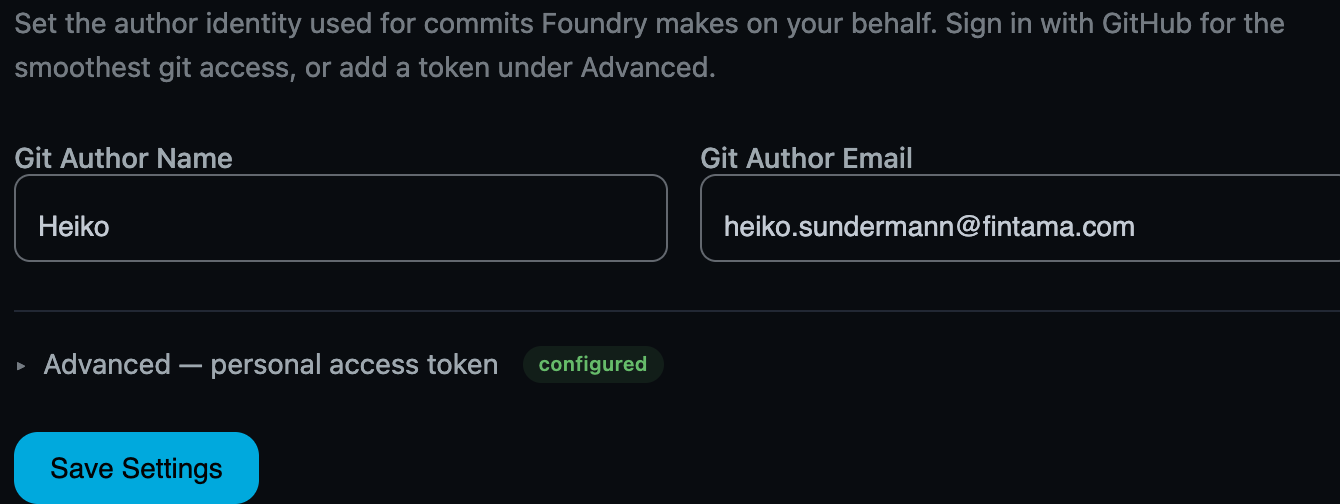
Foundry writes code: agents commit on branches and open setup PRs on your behalf. The GitHub identity card controls what that authorship looks like:
- Git author name / email — stamped on every commit Foundry makes for you. Set these so the history reads as yours, matching your Git hosting profile.
- Personal access token (Advanced) — normally unnecessary: Foundry uses your GitHub sign-in's OAuth token for repository operations. The PAT is a fallback for setups where that token cannot be used. Like all secrets here, it is encrypted at rest and never displayed again.