Part II · Instance setup
Models & pricing
The Models tab is the instance-wide model catalog, aggregated across every provider config — easily hundreds of models on an instance with a handful of providers. It answers three admin questions: what models exist, what they cost, and which ones your teams should actually be offered.
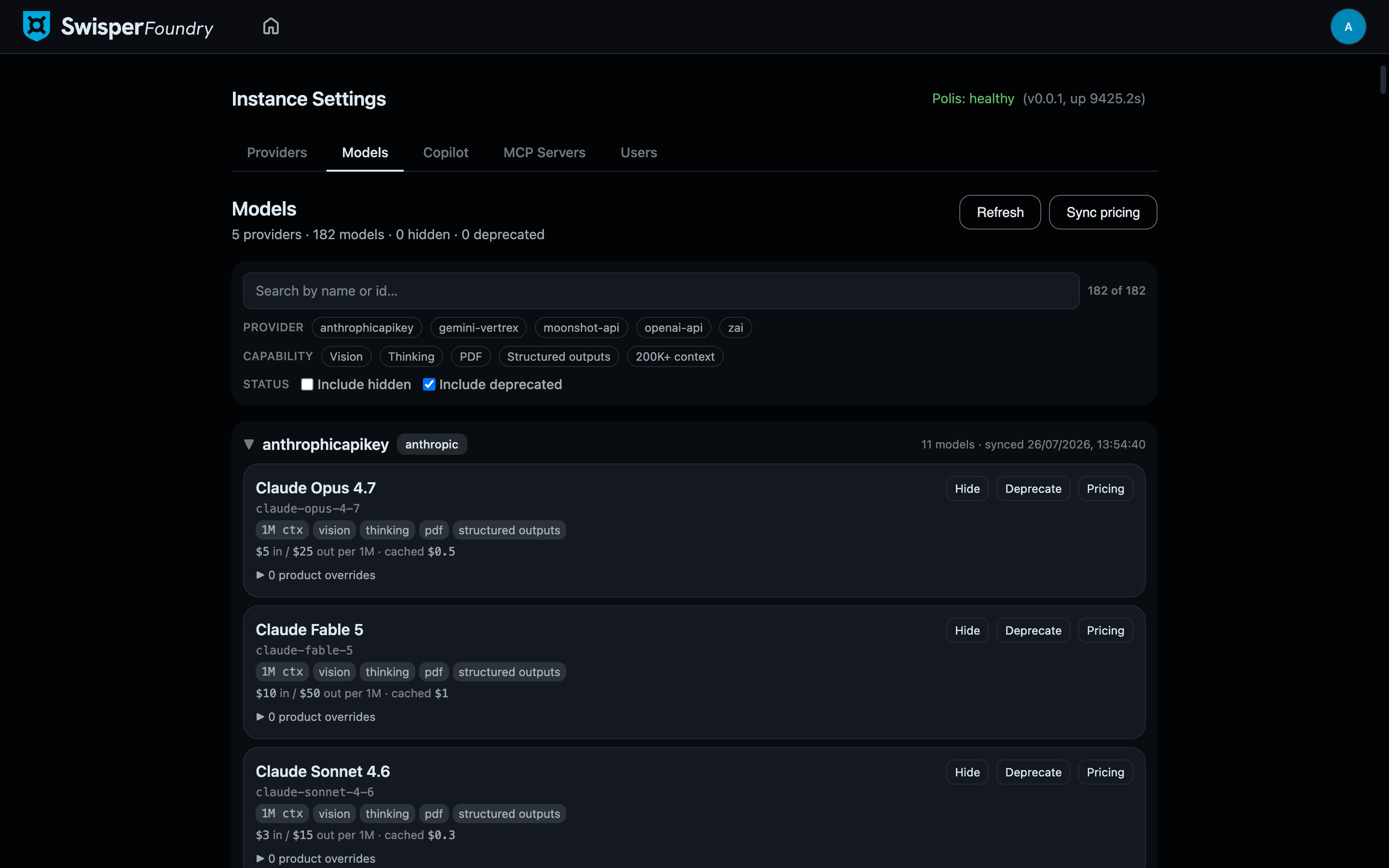
Two sync actions, two sources of truth
The tab has two refresh controls because model availability and model pricing come from different places:
- Refresh — re-lists models from the providers themselves. Each provider config is asked for its live model list; newly appeared models are ingested as visible. Use this after a vendor ships a new model or you add a provider.
- Sync pricing — pulls per-token costs from the models.dev catalog, resolved through each config's catalog binding. Prices are stored per million tokens, in USD.
Keeping the two apart means a pricing sync can never invent models the provider does not serve, and a provider refresh can never overwrite curated prices.
Finding models
Search plus capability filters narrow the list: Vision (image input), Thinking (reasoning), PDF, Structured outputs, and 200K+ context. Capability data comes from what the provider and catalog report per model — an empty capability set means the provider surfaced nothing, not that the model has no capabilities.
Per-model controls
Each model row shows its context size, capability chips, and pricing ($/1M tokens in / out, plus the cached-input rate where the vendor has one). Three actions:
- Hide — removes the model from selection everywhere. Use it to keep hundreds of raw models from overwhelming every model picker; hiding is curation, not deletion, and can be undone.
- Deprecate — flags a model as on the way out while it keeps working. Use it to steer teams off a model before the vendor retires it, without breaking configurations that still reference it.
- Pricing — edit the stored prices. Instance prices are the default; per-product overrides let a product carry different rates (e.g. a negotiated committed-use discount that applies to one cost center only).
Why prices live here at all: Foundry keeps a cost ledger for agent runs. Costs are only as accurate as these numbers, so the admin owns them in one place instead of every product guessing.
Thinking levels per model
Thinking (reasoning) levels are configured where a model is used — for example on the Copilot tab — and the offered levels are catalog-driven: the thinking control shows only the levels the selected model actually accepts, with unsupported steps disabled rather than hidden. The support data comes from this catalog, so a re-sync also refreshes what the thinking controls offer.